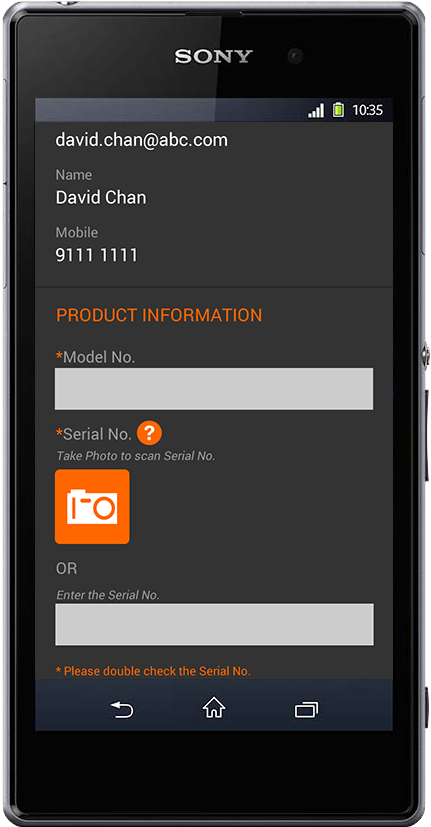
STEP 1: Tap the Camera Icon.
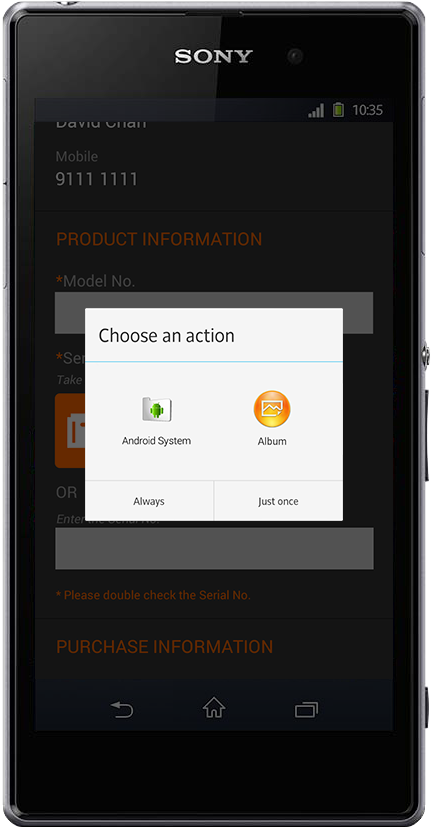
STEP 2: Choose Android System to next step.
(Please skip this step if not applicable.)
(Please skip this step if not applicable.)
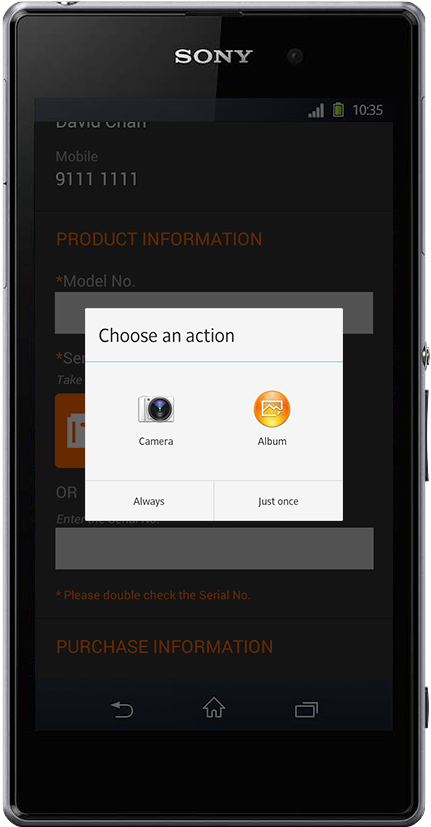
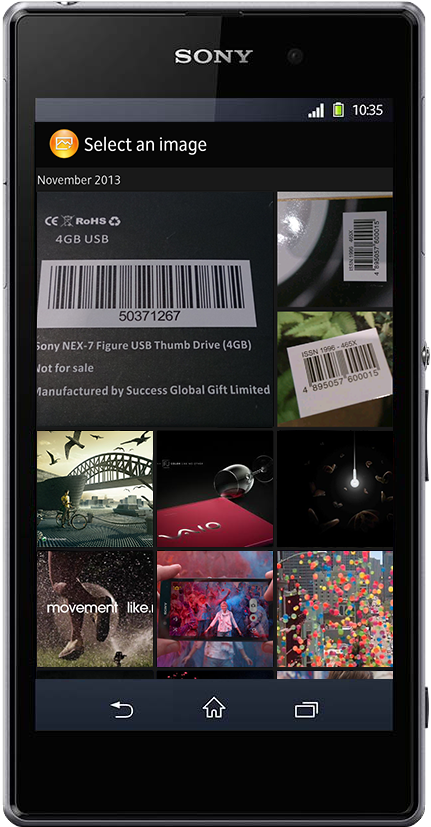
STEP 3: Choose Camera to take photo OR Album to
select an image from your photo library.
select an image from your photo library.
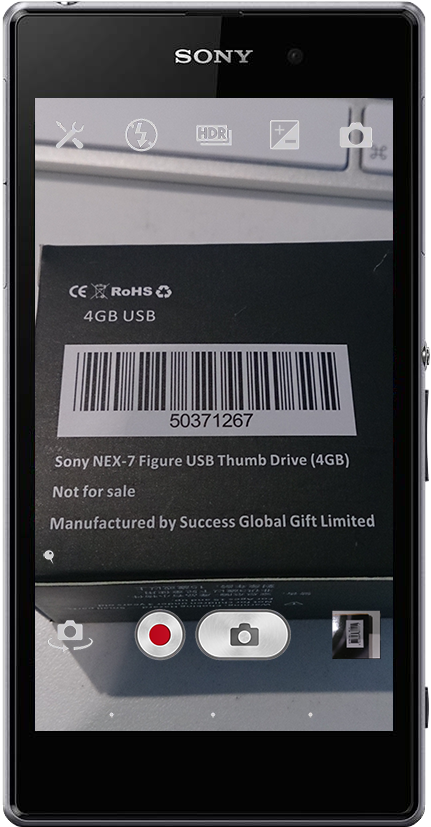
STEP 4: Take photo.
STEP 5: OR select the image.
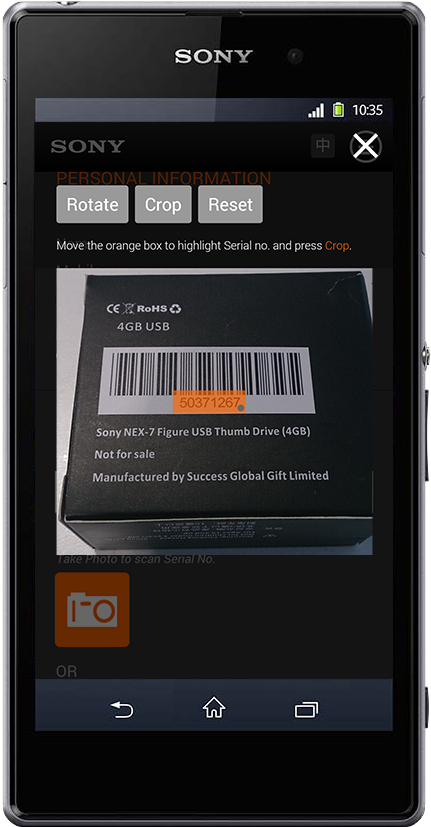
STEP 6: Move the orange box to highlight Serial no. and press Crop.
STEP 7: Press Done to submit cropped photo.
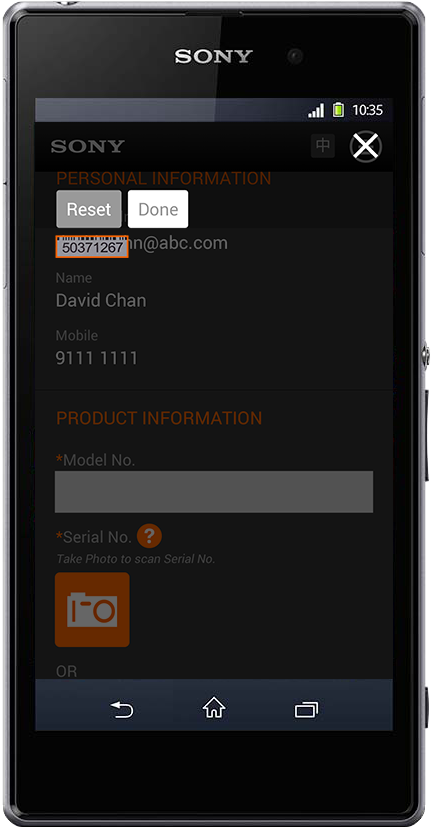
STEP 8: Your cropped photo will be converted into
Serial No. automatically.
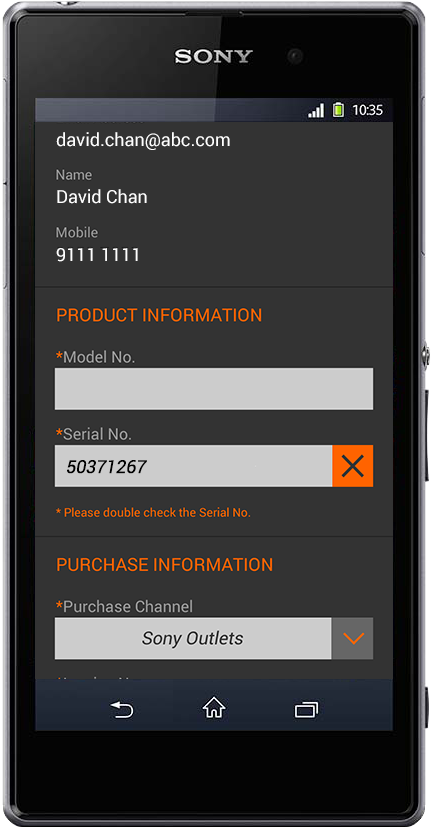
Tap the Cross Icon to reset the Serial No.
Serial No. automatically.
Tap the Cross Icon to reset the Serial No.