
















1000X THE COLLEXION (WH-1000XX) | Understanding the LED indicators
Use the indicators on your 1000X THE COLLEXTION headphones to understand their status and help identify possible issues.
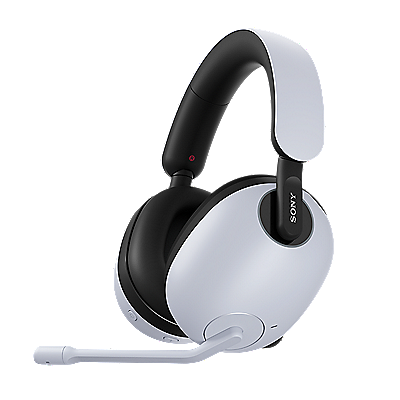
You can check the current status of your headphones via the blue/orange indicator on the left unit and the orange charging indicator on the right unit.
The left headphone unit lights up or flashes in blue/orange
The following table explains what each blue/orange LED pattern on the left headphone unit means.
| LED indicator pattern | What it means |
|---|---|
|
|
The headphones are turned on |
|
|
The headphones are turning off |
|
|
The headphones are in pairing mode |
|
|
The Bluetooth connection is not established. |
|
|
The Bluetooth connection process is completed. |
|
|
The Bluetooth connection is established. |
|
|
There is an incoming call |
|
|
The headphone cable is connected and the headphones are on |
|
|
Initialization is complete |
|
|
A software update is in progress |
The right headphone unit lights up or flashes in orange
The following table explains what each orange LED pattern on the right headphone unit means.
| LED indicator pattern | What it means |
|---|---|
|
|
The battery was already fully charged when charging began, or Battery Care is enabled and the remaining battery level was 80% or more when charging began |
|
|
Charging is in progress |
|
|
The headphones' battery temperature is abnormal |
|
|
There is an issue with charging, and the headphones cannot charge |
The orange charging indicator on the right headphone unit turns off
The following table explains what it means when the orange charging indicator on the right headphone unit turns off.
| LED indicator pattern | What it means |
|---|---|
|
|
The battery is fully charged and charging is complete, or Battery Care is enabled and the remaining battery level reaches 80% or more |
Please accept Youtube cookies to watch this video
Access your cookie preferences below and make sure to switch on the Youtube cookie under the 'Functional' section.
Register your product
Register your product information to enjoy after sales service
Terms & Condition
Product warranty and service Information
Repair Service
Online onsite service booking, Charging scheme, Repair status checking
Supplied Accessory Enquiry
Order supplied accessory
Contact Us
Hotline and service centre information
